
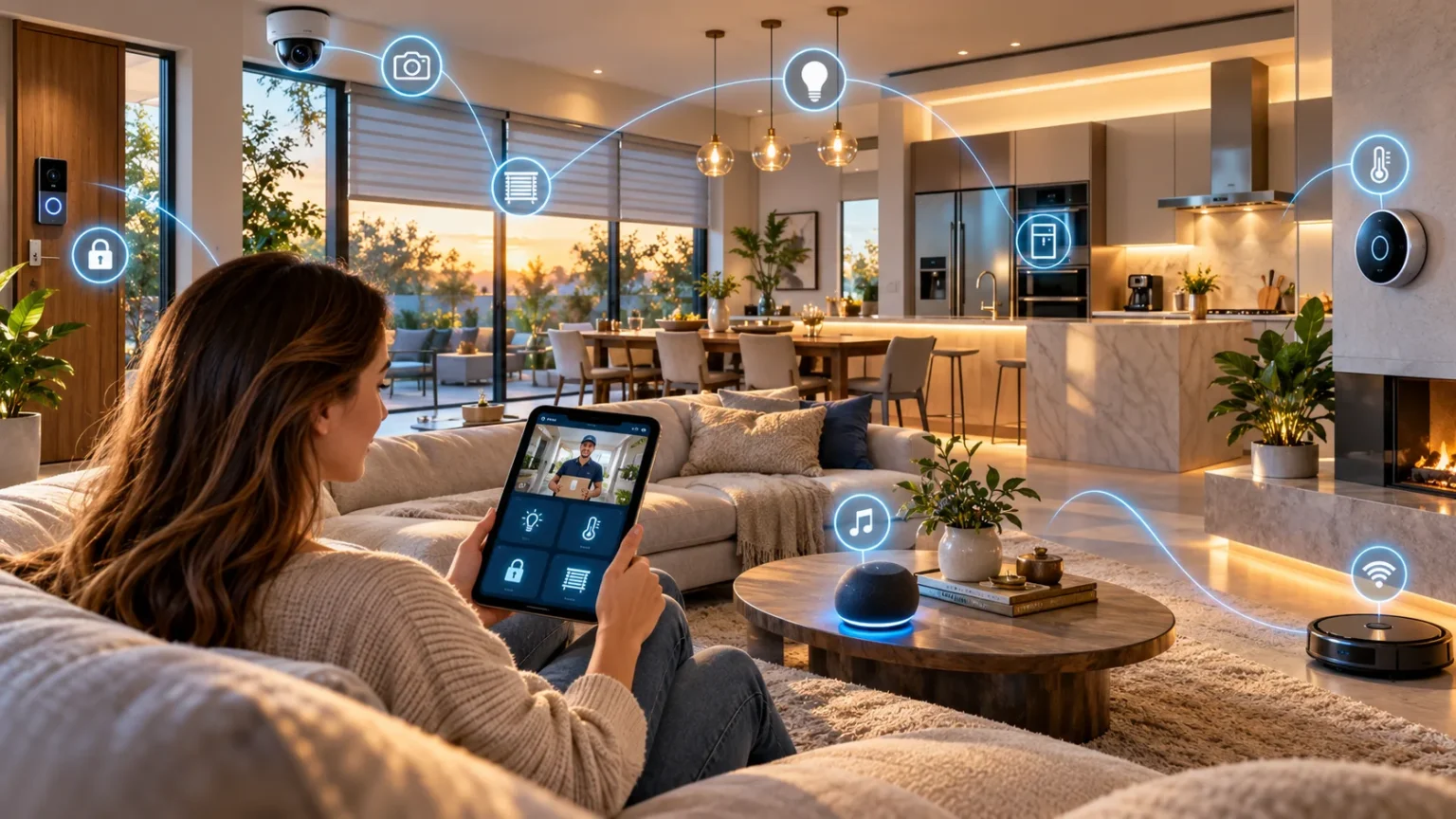
Technology is changing how people manage their homes, making everyday activities more convenient, connected, and efficient. From controlling lights with your voice to checking security cameras remotely, smart home technology provides practical ways to simplify household routines.
Many modern devices can communicate through the internet or local wireless networks, allowing homeowners to manage different systems from a smartphone or central controller. However, building a smart home involves more than purchasing connected gadgets. Understanding how smart homes work, which devices are useful, and how to protect your privacy can help you create a comfortable and reliable living environment.
What Is a Smart Home?
A smart home is a house or apartment equipped with connected devices that can monitor, control, or automate selected household functions. These devices may manage lighting, heating, security, entertainment, and appliances. They often communicate through wireless networks or a central controller. This connectivity makes everyday home management more flexible.
For example, smart lighting allows residents to adjust brightness or turn lights off through a mobile application. Smart thermostats can manage heating and cooling according to configured schedules. Connected cameras may send notifications when they detect activity. These features give homeowners additional ways to manage their living spaces.
A home does not need expensive equipment or complete automation to qualify as smart. Even a few connected devices can provide useful features. The most effective setup depends on household needs, available internet connectivity, and budget. Smart home technology should make everyday routines easier rather than introduce unnecessary complexity.
How Does Smart Home Technology Work?
Smart home technology works by connecting compatible electronic devices through communication networks. These connections allow devices to exchange information and respond to commands. Some systems use Wi-Fi, Bluetooth, Zigbee, Thread, or other wireless technologies. The connection method depends on the device and its supported ecosystem.
A smartphone application or smart home controller usually provides the main interface. Users can adjust settings, create schedules, and monitor connected equipment. Some systems also support voice commands through compatible assistants. These features make it possible to control several household functions without operating each device manually.
Automation adds another level of convenience by allowing devices to respond to specified conditions. For example, a motion sensor may trigger a hallway light after detecting movement. Certain automations run locally, while others depend on cloud services. Understanding these differences helps households choose reliable technology.
What Are the Main Components of a Smart Home?
A smart home commonly includes connected devices, a communication network, and a system for managing them. Connected devices perform specific functions such as lighting, temperature control, or monitoring. The network allows information to move between compatible products. A controller or application provides access to settings and automation features.
Sensors are another important component of many smart home systems. They can detect motion, temperature, humidity, or whether a door is open. This information can support notifications or predefined automations. Sensors are particularly useful when homeowners want systems to respond to changes automatically.
Some smart home setups also use hubs that connect devices using different communication protocols. These hubs can coordinate certain products and reduce dependence on individual applications. However, not every smart device requires a separate hub. Compatibility should be checked before selecting equipment.
What Are the Benefits of Smart Homes?
Smart homes offer several potential benefits, including convenience, improved control, and more flexible household management. Connected devices can automate repetitive activities and simplify access to important settings. For example, scheduled lighting can reduce the need to operate switches manually. These features may make daily routines easier.
Another advantage is the ability to monitor selected household systems remotely. Compatible devices may provide information about temperature, energy use, or security-related events. This can help residents understand what is happening at home. However, remote access depends on the system’s connectivity and configuration.
Smart technology may also support accessibility and energy management. Voice commands and automation can help people operate certain devices more conveniently. Scheduling and monitoring may reduce unnecessary energy consumption. The actual benefits depend on device quality, installation, and household behavior.
Smart Lighting Systems and Their Advantages
Smart lighting is one of the most accessible ways to introduce connected technology into a home. Smart bulbs, switches, and lighting controllers allow users to adjust illumination through applications or compatible voice assistants. Some products also support brightness and color changes. These features make lighting more adaptable.
A household can create schedules that automatically switch selected lights on or off. Motion sensors may also activate lighting in hallways or entrances. This can improve convenience during routine activities. However, automated lighting should be configured carefully to avoid unwanted changes.
Smart lighting can also support efficient electricity use when combined with suitable bulbs and sensible schedules. LED technology generally uses less electricity than older incandescent lighting. Automatic controls may help avoid unnecessary operation. Actual savings depend on how often lights are used and the equipment installed.
Smart Thermostats and Temperature Control
Smart thermostats help manage compatible heating and cooling systems through digital controls. Many allow homeowners to create schedules or adjust settings remotely. Some products can learn preferred temperature patterns or use occupancy information. These capabilities may improve convenience and energy management.
For example, residents can configure temperatures to suit typical household schedules. A compatible thermostat may reduce unnecessary heating or cooling when appropriate. However, the system should maintain safe temperatures for occupants, pets, and the property. Comfort and safety remain important considerations.
Not every thermostat works with every heating or cooling system. Compatibility depends on wiring, equipment type, and manufacturer requirements. Some installations may require professional assistance. Checking these details helps avoid purchasing a device that cannot operate correctly.
Smart Home Security Systems
Smart home security systems use connected equipment to monitor selected areas of a property. Common components include cameras, door sensors, motion detectors, and alarm systems. These devices may provide notifications through a mobile application. Their purpose is to help residents monitor activity and respond to relevant events.
A smart door sensor, for example, can notify a homeowner when a door opens. Compatible cameras may record activity according to configured settings. Some systems also allow remote viewing. However, notifications and recordings should not be treated as guarantees against crime.
Security equipment requires thoughtful installation and maintenance. Devices should be positioned responsibly and configured with appropriate privacy controls. Residents should also consider backup power and internet interruptions. Smart security works best as part of a broader approach that includes reliable physical locks and sensible household precautions.
How Smart Door Locks Work
Smart locks allow compatible doors to be locked or unlocked using electronic controls. Depending on the product, access methods may include mobile applications, keypads, cards, or traditional keys. Some devices also provide activity records. These features can make everyday access management more convenient.
Certain smart locks support temporary access permissions for approved visitors or service providers. Others can notify residents when the lock changes state. These functions may be useful in selected households. However, access controls should be managed carefully to prevent unauthorized entry.
Before installing a smart lock, check door compatibility, battery requirements, and emergency access options. Electronic failures should not leave residents unable to enter or exit safely. Follow manufacturer instructions and applicable building safety requirements. A secure mechanical door and appropriate installation remain essential.
Smart Cameras and Video Doorbells
Smart cameras and video doorbells allow residents to view selected areas around their property. Many products support motion notifications, live video, and recorded footage. Video doorbells may also provide two-way audio. These features can improve awareness of activity near entrances.
For example, a video doorbell may notify residents when someone approaches the front door. A connected application can provide access to compatible camera feeds. Some systems store recordings locally, while others use cloud services. Storage arrangements may affect cost and privacy.
Camera placement should respect household members, neighbors, and applicable privacy laws. Security settings also require attention because connected cameras may contain sensitive information. Strong authentication and regular updates can reduce certain risks. Responsible installation is important for maintaining trust and security.
Smart Speakers and Voice Assistants
Smart speakers provide access to digital assistants through spoken commands. Depending on compatibility, they may control lights, play audio, set reminders, or answer basic questions. These devices often act as convenient interfaces for connected household equipment. Their usefulness depends on supported services and settings.
For example, residents might use voice commands to turn off compatible lights or adjust a smart thermostat. A voice assistant can also help manage timers during cooking. These functions reduce the need to open multiple applications. However, recognition errors and connectivity problems can affect performance.
Privacy is an important consideration when using voice-enabled devices. Households should review microphone controls, recording settings, and data policies. Some devices provide physical microphone-disabling features. Understanding available controls helps users make informed decisions about voice technology.
Smart Kitchen Appliances and Connected Cooking
Smart kitchen appliances can provide connected controls, notifications, and additional monitoring features. Examples include compatible refrigerators, ovens, coffee makers, and dishwashers. Some devices allow users to check operating status through an application. Others provide maintenance reminders or supported cooking settings.
A connected refrigerator may offer temperature alerts, while a dishwasher could notify users when a cycle finishes. Certain ovens include remote monitoring features. However, cooking equipment should never be operated remotely in ways that conflict with manufacturer safety guidance. Human supervision remains essential for tasks involving heat.
Smart appliances are not automatically better than conventional models. Extra connectivity can increase costs and maintenance requirements. Buyers should consider whether the features provide useful everyday value. Reliability, energy performance, safety, and repairability are important factors.
Smart Plugs and Their Everyday Uses
Smart plugs allow certain electrical devices to be controlled through a connected outlet adapter. They may support schedules, remote switching, and energy monitoring. These products are often an affordable introduction to home automation. However, their capabilities depend on the connected appliance.
For example, a smart plug may control a suitable table lamp or decorative lighting. A schedule can turn the connected device off at a chosen time. Some models provide information about electricity consumption. These functions can make selected household routines easier.
Smart plugs must be used within their electrical ratings and manufacturer instructions. They are not suitable for every appliance, particularly equipment requiring special safety controls or high electrical loads. Avoid using them to bypass appliance safeguards. Correct selection and installation are important for electrical safety.
Smart Home Entertainment Systems
Smart entertainment systems connect televisions, speakers, streaming devices, and related equipment. These systems may provide centralized controls or support voice commands. Some can coordinate selected devices through predefined routines. This makes entertainment settings more convenient for everyday use.
For example, a household might create an evening routine that adjusts compatible lighting and prepares the television for viewing. A mobile application may control supported speakers in different rooms. These features provide flexibility. However, device compatibility can influence which functions are available.
Entertainment systems should be selected according to actual household preferences. Multiple connected devices are not necessary for an enjoyable viewing experience. Simple setups may be easier to maintain. The best system balances convenient features with cost and reliability.
How Smart Homes Can Improve Energy Efficiency
Smart home technology may support energy efficiency by helping residents monitor and control electricity consumption. Smart thermostats, lighting controls, and energy-monitoring devices provide relevant information. Some systems allow users to create schedules that reduce unnecessary operation. These functions can support more informed household decisions.
For example, lighting schedules can help prevent selected lights from remaining on when they are not needed. Temperature controls may improve heating and cooling management. Monitoring systems can also reveal patterns in electricity consumption. However, the amount of energy saved depends on how devices are configured and used.
Smart devices also consume electricity and may introduce additional costs. Replacing functional appliances solely for connectivity does not always provide financial or environmental benefits. Households should evaluate total costs and expected savings. Energy-efficient equipment and responsible habits remain important regardless of automation.
Smart Homes and Home Accessibility
Smart home technology can make certain household activities easier for people with different accessibility needs. Voice controls, automated lighting, and remote interfaces may reduce the need for repeated physical interaction with switches or controls. These features can support greater independence. However, accessibility requirements vary significantly between individuals.
For example, someone with limited mobility may find remote lighting controls helpful. Automated doors or adjustable environmental settings may also provide convenience when appropriately installed. Voice assistants can assist with selected tasks. The best solutions depend on individual needs and available support.
Accessibility-focused smart home systems should be reliable and easy to operate. Important functions need suitable manual alternatives when technology fails. Professional advice may be appropriate for specialized installations. Thoughtful design prioritizes safety, usability, and individual preferences rather than technology alone.
How to Build a Smart Home From Scratch
Building a smart home begins with identifying practical household needs. Consider whether you want improved lighting control, temperature management, security monitoring, or convenience. Starting with a clear purpose prevents unnecessary purchases. A few useful devices can provide meaningful benefits.
Next, review your home’s internet connection and existing equipment. Determine which smart home platforms and communication standards are supported. Choose products that can work together wherever possible. Compatibility checks reduce frustration during installation.
Begin with one manageable setup, such as a smart bulb or suitable smart plug. Learn how the device operates before adding more equipment. Configure security settings and test any automation carefully. Gradual expansion makes troubleshooting and maintenance easier.
How to Choose the Best Smart Home Ecosystem
A smart home ecosystem is the collection of applications, controllers, and compatible devices used to manage connected equipment. Major ecosystems include platforms such as Google Home, Amazon Alexa, and Apple Home. Different systems offer different integrations and features. Choosing one depends on existing devices and personal preferences.
Compatibility should be an important consideration. Some smart products support several ecosystems, while others work only with selected platforms. Before purchasing, review the manufacturer’s current compatibility information. This helps avoid buying devices that cannot communicate with your preferred system.
Ease of use, privacy settings, and local control capabilities also deserve attention. Some households prefer voice commands, while others prioritize phone applications or physical controls. The ideal ecosystem is one that meets practical needs without requiring excessive complexity. Reliable support and security updates are additional considerations.
What Is Matter in Smart Home Technology?
Matter is a smart home connectivity standard designed to improve interoperability between compatible devices and platforms. It is developed through collaboration within the Connectivity Standards Alliance. Supported products can use a common framework for selected smart home functions. This can make device integration more convenient.
Matter works over supported networking technologies, including Wi-Fi, Ethernet, and Thread, depending on the device. Bluetooth Low Energy may be used during setup. However, not every smart home product or feature supports Matter. Compatibility still needs to be verified.
Matter can reduce certain challenges associated with purchasing devices from different manufacturers. However, it does not guarantee that all features work identically across every ecosystem. Software versions, controllers, and supported device categories matter. Checking current product documentation remains important.
Smart Home Wi-Fi and Internet Requirements
Many smart home devices depend on a reliable network connection. Wi-Fi is common for cameras, speakers, and other connected products. Some devices use additional communication protocols through a compatible hub. Network requirements vary according to the equipment.
A weak wireless signal can cause delays, connection problems, or unreliable notifications. Router placement and building materials may affect coverage. Larger homes may require additional networking equipment. Checking connection quality can prevent unnecessary troubleshooting.
Not every smart home function requires a continuous internet connection. Certain devices and automations can operate locally when properly configured. Others depend on cloud services for remote control or advanced features. Understanding these dependencies helps households plan for internet outages.
How Much Does a Smart Home Cost?
Smart home costs vary according to the devices selected and the complexity of installation. A basic setup with connected lighting may require a relatively small investment. More advanced systems involving cameras, thermostats, locks, and professional installation can cost considerably more. There is no universal price for building a smart home.
Ongoing expenses should also be considered. Some products require subscriptions for cloud storage, advanced monitoring, or additional features. Batteries may need replacement, and certain devices consume electricity continuously. These costs affect the long-term value of the system.
Creating a budget before purchasing equipment helps prioritize useful improvements. Start with products that solve genuine household problems. Compare features, warranty terms, compatibility, and maintenance requirements. A carefully planned system can be more practical than purchasing numerous devices without a clear purpose.
Are Smart Homes Safe and Secure?
Smart homes can provide useful monitoring and control features, but connected devices introduce cybersecurity risks. Weak passwords, outdated software, and poorly secured networks may expose household information. Certain devices also collect sensitive activity data. Security should therefore be considered during setup.
Use strong, unique passwords and enable multifactor authentication where available. Keep device firmware and applications updated. Review access permissions and disable features that are not needed. These practices can help reduce common risks.
Physical safety is equally important. Smart locks, alarms, heating systems, and electrical appliances should have appropriate safeguards. Critical household functions should not depend entirely on unreliable automation. Responsible installation and maintenance support a safer connected home.
How to Protect Your Privacy in a Smart Home
Smart home privacy begins with understanding what information connected devices collect. Cameras, microphones, sensors, and applications may process household activity data. Different manufacturers use different storage and sharing practices. Reviewing privacy information helps residents understand these arrangements.
Consider limiting unnecessary data collection through available settings. Disable optional recording features when they are not needed and review connected account permissions. Household members should understand where cameras and microphones are located. Transparent communication helps protect everyone’s privacy.
Local storage and local automation may reduce certain cloud dependencies, although they do not eliminate all risks. Security updates and appropriate account controls remain important. Choose products from manufacturers with clear support policies. Privacy should be considered throughout the device’s useful life.
Common Smart Home Problems and How to Avoid Them
One common smart home problem is device incompatibility. Products from different manufacturers may use different applications or connection methods. This can make automation difficult. Checking supported ecosystems and communication standards before purchasing helps reduce these issues.
Another challenge is unreliable connectivity. Weak Wi-Fi signals, internet outages, or cloud service interruptions may affect certain devices. Choosing suitable network equipment and understanding local control options can improve reliability. Important functions should have practical alternatives when automation is unavailable.
Complexity is another frequent problem. Too many applications, notifications, and automation rules can make the home harder to manage. Begin with simple routines and expand gradually. A successful smart home should simplify household activities rather than create additional responsibilities.
Smart Homes vs. Traditional Homes
Traditional homes generally rely on manual controls for lighting, appliances, security, and environmental settings. Smart homes introduce connected devices that support remote management and automation. Both approaches can provide comfortable living environments. The main difference is the level of digital control.
Smart technology offers convenience through schedules, notifications, and supported remote commands. However, conventional equipment may be simpler to maintain and less dependent on software. Some people prefer straightforward physical controls. Others appreciate the flexibility of connected systems.
A smart home does not need to replace every traditional feature. Many households combine conventional appliances with selected connected devices. This approach can provide convenience without unnecessary complexity. The best balance depends on household needs, technical preferences, and budget.
Smart Home Automation Ideas for Everyday Life
Smart home automation allows compatible devices to respond to schedules, sensor readings, or other predefined conditions. These routines can simplify selected household activities. Common examples involve lighting, temperature adjustments, and notifications. The most useful automation is one that addresses a real need.
For example, hallway lights might turn on when motion is detected during certain hours. A thermostat could follow a household temperature schedule. A door sensor might provide an alert when an exterior entrance opens. These routines can improve convenience when configured appropriately.
Automations should be tested before becoming part of regular household use. Incorrect settings can create unnecessary disturbances or interfere with important functions. Avoid automating safety-critical activities without appropriate safeguards. Simple, reliable routines are often more useful than complicated systems.
Can Smart Homes Work Without the Internet?
Some smart home devices can continue operating without internet access when their core functions are supported locally. Traditional switches on compatible lighting systems may still work, and certain local automations can continue. However, this varies by product. Internet connectivity is not the same as a local network connection.
Cloud-dependent features may stop working during an outage. These can include remote access, certain voice commands, and online notifications. Some cameras may also lose cloud recording capabilities. Understanding these limitations helps residents prepare for interruptions.
Before choosing devices, check whether essential functions operate without external internet services. Local controllers and supported communication protocols may provide additional resilience. Manual controls should remain available where appropriate. Reliable home operation should not depend entirely on a single connection.
How Smart Homes Can Support Sustainable Living
Smart home technology can support sustainability when it helps reduce unnecessary energy use and improve resource management. Smart lighting and temperature controls may contribute to efficient household operation. Monitoring devices can also provide information about consumption patterns. These insights can support better decisions.
Some systems help residents understand when electricity is being used. This information may reveal equipment that runs unnecessarily. However, the environmental benefits depend on actual behavior and device efficiency. Automation alone does not guarantee reduced consumption.
Manufacturing, replacing, and disposing of electronic devices also have environmental effects. Purchasing unnecessary connected gadgets can create additional electronic waste. Choosing durable products and maintaining existing equipment may be more sustainable. Smart home planning should consider the entire product lifecycle.
What Is the Future of Smart Homes?
Smart home technology continues to develop through improvements in connectivity, automation, and device compatibility. Manufacturers are exploring systems that can coordinate household functions more efficiently. Common standards may simplify the integration of supported products. These developments could make connected homes easier to manage.
Artificial intelligence may also support more adaptive household automation. Future systems could use patterns in approved sensor data to suggest useful routines. However, increased automation creates additional privacy and security considerations. Household members should retain meaningful control over important decisions.
The future of smart homes will depend on reliability as much as technological innovation. Consumers need devices that remain useful, secure, and supported over time. Systems that simplify everyday living without excessive complexity are likely to provide the greatest practical value. Thoughtful adoption remains more important than owning the newest technology.
Conclusion
Smart homes use connected technology to make selected household activities more convenient, flexible, and manageable. Devices such as smart lights, thermostats, security cameras, door locks, and speakers provide different features. These systems can support automation, remote monitoring, and energy management. Their usefulness depends on how well they meet everyday needs.
Building a smart home requires attention to compatibility, cost, privacy, and security. Not every household needs an extensive automation system. Starting with a few practical devices allows residents to understand the technology before expanding. Reliable connectivity and clear controls help make the experience more enjoyable.
The best smart home is one that supports comfort, safety, and practical daily routines. Choose products based on genuine needs rather than purchasing technology simply because it is new. With thoughtful planning and responsible maintenance, smart home devices can become useful additions to modern living spaces.
Frequently Asked Questions
What is a smart home in simple words?
A smart home uses connected electronic devices to control or automate household functions. Examples include smart lighting, thermostats, cameras, and locks managed through applications, controllers, or voice commands.
What are the main benefits of smart homes?
Smart homes can improve convenience, support energy management, provide remote monitoring, and simplify selected daily activities. Actual benefits depend on device capabilities, installation quality, and household needs.
Are smart homes expensive to set up?
Costs vary widely. A basic setup with smart bulbs or compatible plugs may be relatively affordable, while comprehensive security and automation systems can require substantial investment.
Can smart home devices work without Wi-Fi?
Some smart devices use technologies such as Zigbee, Thread, or Bluetooth rather than Wi-Fi. Certain local functions may operate without internet access, depending on the system.
Are smart homes secure from hackers?
Smart homes are not automatically secure. Strong passwords, software updates, limited permissions, and reputable devices can reduce cybersecurity risks, but no connected system can guarantee complete protection.